
How to Strengthen Power BI Governance for Enhanced Compliance
Power BI | January 1, 2026


Power BI governance is now essential for any organization using Power BI at scale.
As deployments grow, data governance in Power BI becomes the foundation for secure, compliant, and consistent reporting—reducing duplication, unauthorized access, and audit risks.
Why Power BI Governance Matters More Than Ever
Modern enterprises depend on Power BI to democratize analytics. But without structure, self-service quickly turns into uncontrolled sprawl.
Microsoft’s Power BI Adoption Roadmap highlights that companies without governance experience:
- Report duplication
- Inconsistent KPIs
- Unsecured data sources
- Compliance gaps
- Workspace overload
- Frequent data refresh and access issues
Strong Power BI governance for enterprises eliminates these risks and creates stable, scalable analytics operations.
Want to build a secure Power BI environment from day one?
Talk to our Power BI Consultants
Common Governance Failures in Power BI Deployments
Here are the common challenges in Power BI governance most organizations face:
- Multiple conflicting datasets with no certified version
- Unrestricted report creation by business users
- Reports connecting to unvalidated data
- Limited visibility into access & audit logs
- No standard workspace structures
- No DLP or sensitivity policies
- Undefined lifecycle for datasets & dashboards
Common Failures vs Impact
Governance Failure | Business Impact |
No central data model | KPI inconsistencies, decision delays |
Uncontrolled editors | Data exposure risk |
No access structure | Audit failures, unauthorized access |
No monitoring | Hidden compliance gaps |
Report sprawl | Storage waste, low discoverability |
Learn more about : Centralized vs Decentralized BI Governance
Defining a Governance Framework for Power BI
Understanding Governance Frameworks in Power BI
A Power BI governance framework defines how your organization handles:
- Access permissions
- Data security
- Certified datasets
- Content lifecycle
- Workspace and publishing rules
- Deployment pipelines
- Compliance requirements
Microsoft recommends a phased governance maturity model—foundational, intermediate, and advanced.
Assessing Data Sources and Critical Assets
Start with an assessment of:
- All data sources connected to Power BI
- High-value datasets (financial, sales, operations, PII)
- Compliance-sensitive information (GDPR, HIPAA)
- Unknown or shadow data sources
- Existing models used across teams
Defining Governance Roles and Responsibilities
Clear roles help avoid ownership confusion.
Role | Responsibility |
Power BI Admin | Tenant settings, gateways, auditing |
Data Owner | Data quality, business definitions |
Dataset Owner | Semantic model maintenance |
Report Creator | Follows standards & uses certified data |
Viewer/User | Uses insights responsibly |
Balancing Self-Service BI and Governance
Balanced governance allows users to explore data—without compromising control.
A well-governed environment provides:
- Certified datasets for consistent reporting
- Restricted workspace creation
- Clear naming conventions
- Data literacy training
- Permission-based model building
Microsoft research shows structured governance boosts decision-making efficiency by 2–5x.
Explore about Power BI vs Tableau Migration Guide
Implementing Effective Power BI Governance Practices
Implement Access Controls and Sensitivity Labels
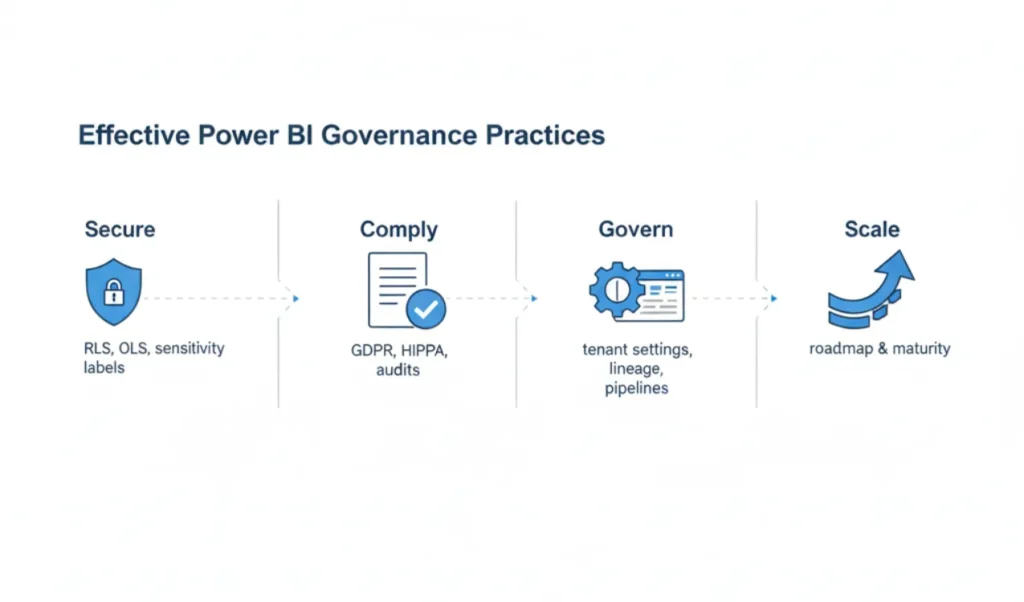
Core Power BI security capabilities:
- Row-Level Security (RLS)
- Object-Level Security (OLS)
- Sensitivity labels (Microsoft Purview)
- Data Loss Prevention (DLP) rules
- Azure AD Conditional Access
- Secure workspace permissions
Sensitivity labels extend to exported data (Excel, PDFs, Teams), supporting end-to-end protection.
Read more on How Power BI Delivers ROI
Ensure Compliance with Regulatory Requirements
For GDPR, HIPAA, and SOC2 compliance, organizations must:
- Monitor audit & activity logs
- Apply data retention rules
- Classify data with DLP
- Document lineage
- Restrict external sharing
- Use Purview for cataloging
This builds a strong compliance posture.
Leverage Power BI’s Built-In Governance Features
Built-in governance tools include:
- Admin Portal & Tenant Settings
- Audit Logs & Usage Metrics
- Data Lineage & Impact Analysis
- Deployment Pipelines
- Sensitivity Labels
- Gateway Monitoring
- Purview integration
Maintain Data Models and Data Quality Continuously
Strong power bi data governance requires ongoing quality control:
- Refresh schedule monitoring
- Data quality rules
- Standard KPIs and business definitions
- Frequent semantic model reviews
- Redundancy cleanup
- Gateway health checks
This ensures high trust in enterprise insights.
Adopt a Governance Roadmap That Scales
A scalable roadmap includes:
- Foundational Stage
- Certified datasets
- Basic access controls
- Workspace hierarchy
- Certified datasets
- Intermediate Stage
- Deployment pipelines
- Monitoring & auditing
- KPI standardization
- Deployment pipelines
- Advanced Stage
- Enterprise semantic models
- Automated governance policies
- Data mesh architecture
- Purview cataloging
- Enterprise semantic models
Want a governance framework that scales with your enterprise?
Book a 30-min Power BI Governance Assessment
Business Benefits of Strong Power BI Governance
Improved Compliance and Reduced Audit Risk
Governance ensures encryption, consistent access logs, lineage visibility, and controlled workspaces—reducing compliance gaps.
Higher Trust in Insights and Decision-Making
With consistent KPI definitions and certified datasets, executives can rely on dashboards without second-guessing numbers.
Gartner estimates poor data quality costs firms $12.9M per year—governance reduces this significantly.
Better User Productivity with Controlled Self-Service BI
Certified datasets and structured workspace models reduce:
- Rework
- Support tickets
- Time spent searching for reliable data
Long-Term Cost Savings Through Reduced Rework & Duplication
Governance eliminates redundant datasets, unnecessary refresh loads, and report duplication—cutting infrastructure and maintenance costs.
Ready to strengthen security, compliance, and control across your Power BI environment?
Talk to our Power BI Consultants
FAQs
What is data governance in Power BI and why does it matter?
Data governance in Power BI ensures secure, consistent, and compliant use of data across dashboards and reports. It prevents unauthorized access, duplicate datasets, inconsistent KPIs, and compliance violations—critical for enterprise-scale environments.
How can my organization improve Power BI governance?
Strengthen power bi governance through:
- Role-based access
- Certified datasets
- Sensitivity labels & DLP
- Standard workspace structures
- Monitoring & auditing
- Deployment pipelines
Many enterprises work with Perceptive Analytics, a leading Power BI consulting partner, to build scalable governance systems.
How does Power BI support regulatory compliance and security?
Power BI provides:
- RLS/OLS
- Encryption
- Sensitivity labels
- Audit logs
- Purview integration
- Data classification
- DLP policies
These support GDPR, HIPAA, SOC2, and more.
Implementations are often supported by expert Power BI Consultants.